
Powers
Give your Creation Powers.
Students don't need to think in APIs or infrastructure. They simply describe what they want their Creation to do.
Four capabilities that would each be a term's work to set up conventionally, switched on by describing them.
No API keys
For students or for the school
No setup screen
Describe it and it exists
Visible from inside
Students can see what theirs uses
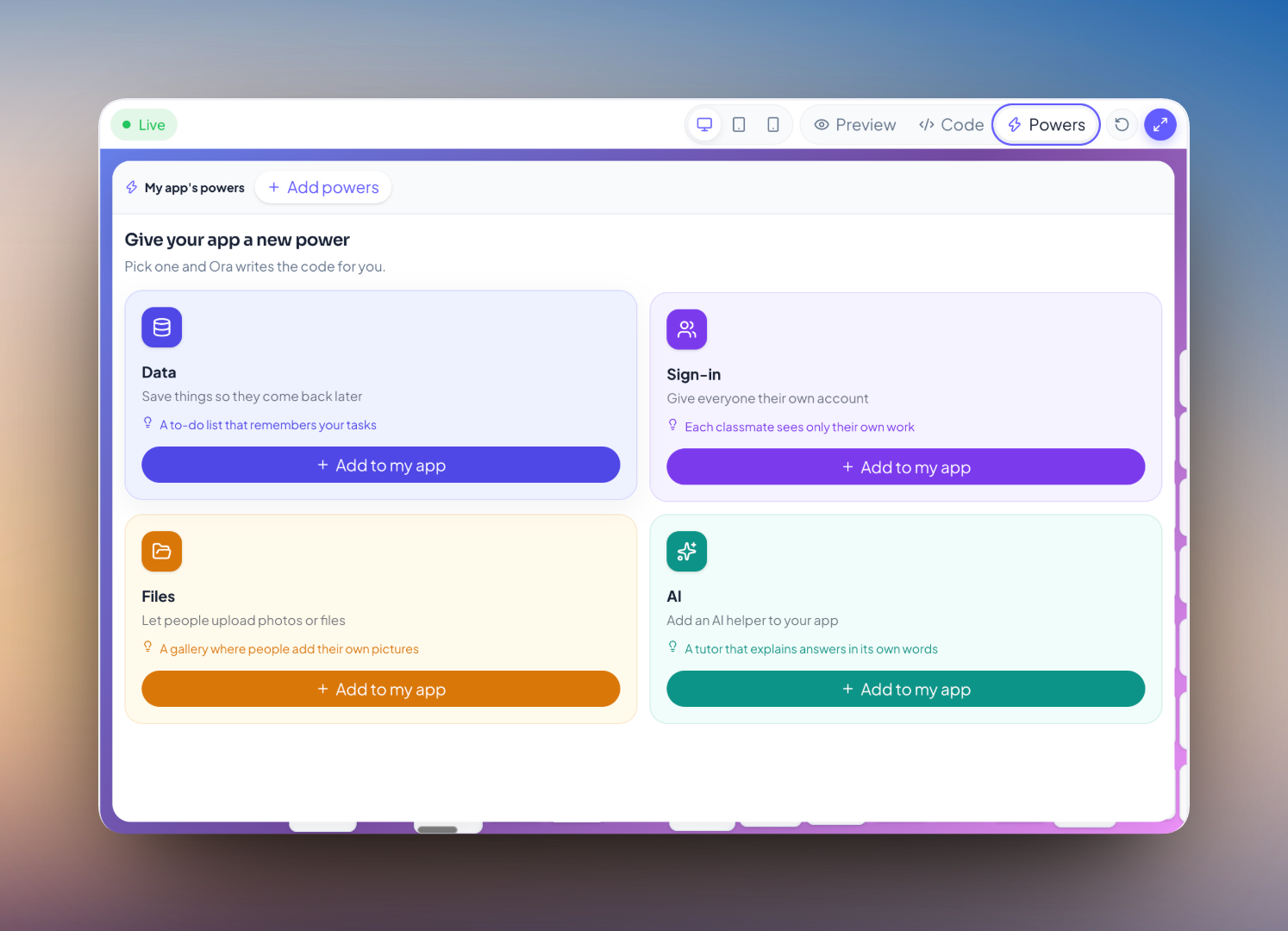
Four Powers, in the words a student uses
Nobody has to say “database” for a student to build one. Click through them — each has a technical name a teacher may want, and a sentence a twelve-year-old actually says.
Your Creation
Remember information
“It remembers my entries even after I close it.”
Information a Creation saves stays saved — between sessions, and between devices. This is a database, and the student has built one without the word appearing. It is usually the first Power anyone asks for, because a tool that forgets everything is obviously a toy.
What a school should know
Storage is per Creation and isolated. Nothing to provision, host or back up, and no student can reach another student's data.
The technology isn't hidden from them
There is a screen showing which Powers a Creation is using, the information it has saved, and how its AI is being used. A student can see inside their own Creation — which is what turns “I made something” into “I understand how it works”, and it is the single biggest difference between Ideora and a prompt box that returns an app.
What each Power is called outside Ideora
For a teacher explaining this to a colleague, or a student who becomes curious about the real names. Students never need these words to use any of it.
- Database
- Organised storage that survives the page being closed. Every app that remembers anything has one, and it is the thing students ask for first without knowing its name.
- “It remembers my entries even after I close it.”
- API
- A way for one piece of software to ask another to do something. Ideora handles every API a student's Creation needs, which is why there are no keys and no accounts to manage.
- “It can answer questions and write things.”
- File storage
- Somewhere images and documents can be kept and retrieved. Distinct from a database, which holds structured information rather than whole files.
- “People can upload photos to it.”
- Authentication
- Working out who is using something, so it can show them their own things rather than everyone's. It is what makes an app feel personal.
- “Everyone gets their own account.”
- Backend
- Everything that happens away from the screen — storage, accounts, and the parts that keep working when nobody is looking. Powers are Ideora's backend, described in words rather than configured.
- “The bit I don't see.”
- Persistence
- Information continuing to exist after the thing that made it has stopped running. The technical name for the single most requested behaviour in student projects.
- “It's still there when I come back.”
What a school does not have to do
- No AI accounts to buy and no credits to top up.
- Students never create or manage a model API key.
- No database to provision, host or back up.
- No infrastructure conversation with anyone.
Questions about Powers
No. They describe what the Creation should do and the Power is switched on for them. There is no settings screen to understand first.
Inside the Creation's own isolated storage. Each Creation runs in its own sandbox with its own data, separate from every other student's.
It runs through Ideora with hard daily limits, and a project can show what it has used. Published Creations give each visitor a small free allowance and then pause only the AI part.
It runs inside its own sandbox, with the Powers described here and nothing beyond them. It is not a route into school systems or anything else.
Real. Information genuinely persists, uploads are genuinely stored, and accounts genuinely separate one person's data from another's. That is what makes a Published Creation usable by strangers.
Only if they ask. Ora will name a concept and explain it when a student becomes curious, but nothing in the product requires the vocabulary first.
See a Creation get its Powers.
It takes one sentence, which is the whole point.