For school leaders
Built for curiosity. Designed for control.
The creative experience feels open to students. The infrastructure around it doesn't have to be.
Ideora runs in the browser you already have, on the lab you already own, taught by staff who do not need to be programmers.
A browser
The entire technical requirement
Zero API keys
Students never hold one
Classes 6–12
Who the experience is written for
What a school actually needs
The whole list. There is not a second page.
- A browser and an internet connection.
- No specialist lab software to roll out or license.
- No prior coding experience, for students or for staff.
- No AI accounts to buy, and no API keys for anyone to manage.
The three questions every school asks
In this order, usually within the first ten minutes of a conversation.
If it opens a website, it runs Ideora.
Ideora is a web application. There is no client to install, no lab image to rebuild, no licence server, and no minimum specification beyond a machine that can open a modern browser. Students sign in and work; when the lesson ends they close the tab. Nothing is left behind on the machine, which also means a student can pick up the same Creation on a different computer, or at home.
- No installation on any lab machine.
- No dependency on a particular operating system.
- Work follows the student, not the machine.
Control that a school can point at
Every line here describes something the product does today. Click through them — a procurement conversation usually goes exactly this way.
What a school controls
How AI is reached
“I just ask Ora and it helps.”
The student experience is a conversation inside the Studio. Underneath, every AI request is made by Ideora, not by the student and not by their browser talking to a provider. There is no key to leak, no account for a student to register, and no route by which a student reaches a raw model.
What a school should know
You do not buy AI accounts, approve sign-ups, or manage credits. There is nothing to provision before a lesson can run.
What a rollout actually looks like
There is no implementation project here. There is a lesson, and then another one.
- 01
Before the first lesson — nothing
No installation, no lab image, no software request, no AI procurement. If your machines open websites, you are ready. This is the step most schools spend a term on with other platforms, and it is the reason a pilot can start in the same week you decide to run one.
- 02
The first ten minutes — the class is building
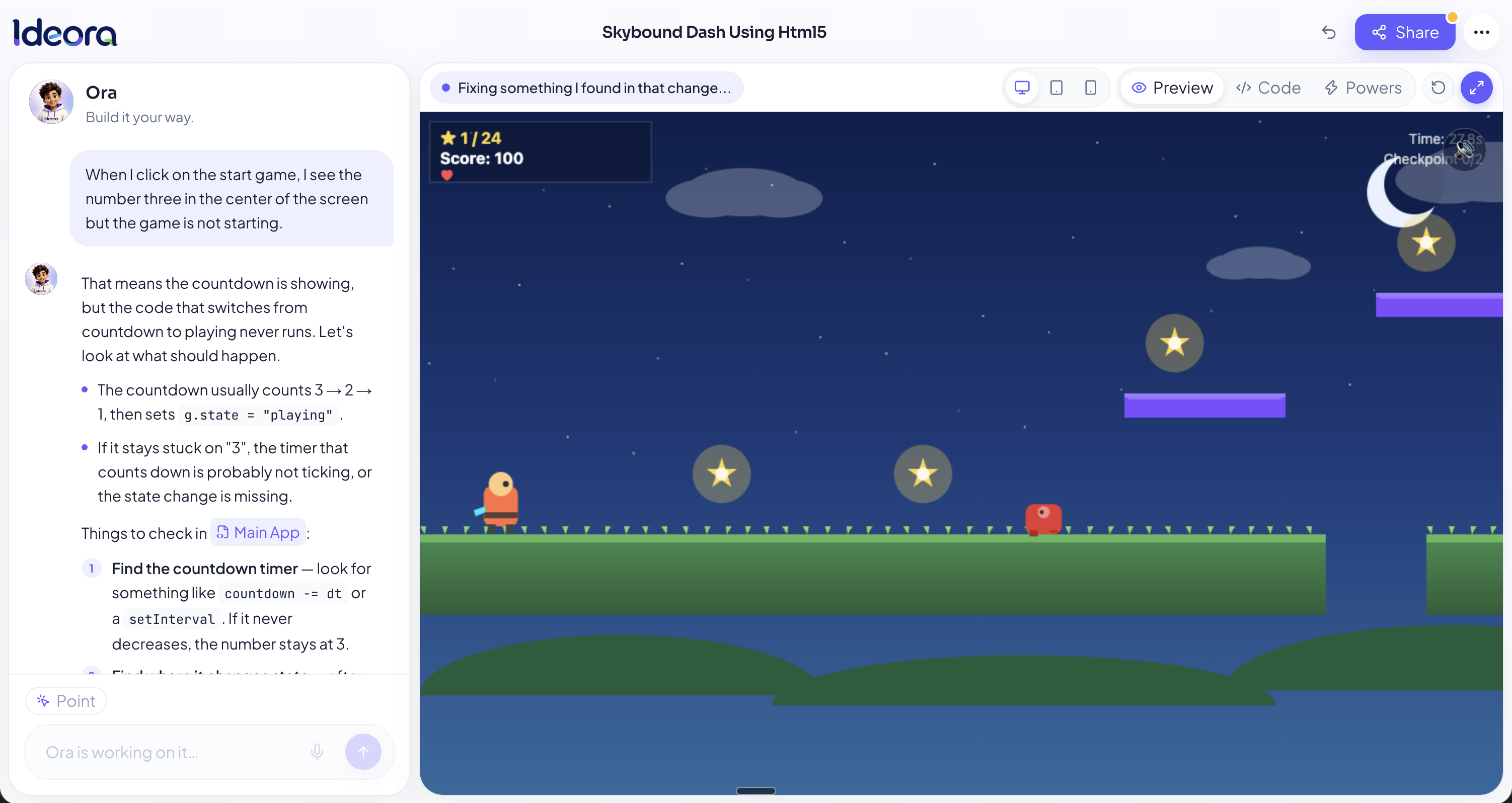
A teacher reads a Mission aloud. Students describe what they want in ordinary language, Ideora asks a clarifying question or two where an idea is vague, and working first versions start appearing. Nobody has been taught syntax and nobody is stuck on a blank screen.
- 03
The rest of the lesson — the actual learning
The first version is rarely what a student meant, which is the useful part. They change how it looks, add what is missing, open the code when curiosity takes them there, break something, and put it back. A teacher walking the room is asking what they are making and why, not debugging.
- 04
The end of the lesson — the work leaves the building
Students Publish. A Creation gets a real web address that opens on a parent's phone that evening with no app-store install. This is the moment that changes how students talk about the subject at home, and it is the moment schools tell us about afterwards.
- 05
After that — it compounds
Students return to earlier Creations and improve them. A Mission set to one class produces thirty different starting points that other students see. The work accumulates into something a student can show, rather than evaporating at the end of each lesson.
Is your school ready?
Tick what is true. Most schools find they have already finished.
That is the whole list — you are ready. The next step is a demo, not a procurement process.
Where Ideora sits among the things schools already use
An honest placement. If one of the other rows is what you need, we would rather tell you than sell you.
| Approach | What a student ends up with | What it asks of staff |
|---|---|---|
| Block-based tools | A project that runs inside the tool that made it | Learn the tool; strongest with younger students |
| Structured course platforms | Progress through a defined sequence of exercises | Follow the course materials in order |
| Text programming from scratch | Working code, after months of syntax first | A member of staff who can already program |
| Ideora | Real, working software at a web address, that they changed and can explain | Read a Mission out loud; no programming background |
Plenty of schools use more than one of these at different stages. That is a sensible arrangement rather than a compromise.
On outcomes we will not promise you
We cannot tell you that Ideora will raise a particular result, because we have not measured that and would not ask you to take an invented figure seriously. What we can tell you is exactly what a student does in a lesson and exactly what they leave with. Judge it on that, and on a demo with your own students.
The vocabulary, in plain English
Useful before a conversation with a technical colleague — and it is the same language students hear, so nobody is translating between two versions of the product.
- Creation
- One piece of software a student has made. It has its own code, its own data and its own version history, and it can be Published to its own web address.
- “This is my app.”
- Studio
- Where a student builds. It holds their Creation, the running preview, the code, and Ora — all on one screen rather than across separate tools.
- “The place where I make things.”
- Ora
- The AI that builds alongside the student and explains what it did. Ora makes changes on request, highlights the exact lines of code that matter, fixes what is broken, and answers questions in language pitched at the student's year group.
- “The one who helps me and tells me why.”
- Mission
- A problem with no single right answer, given to a whole class at once. It exists to solve the blank-page moment, and it is the reason thirty students produce thirty different Creations.
- “The thing we're all having a go at.”
- Power
- A capability a student switches on by describing it — saving information, using AI, accepting file uploads, or giving people their own accounts. No configuration screen and no API conversation.
- “It remembers my entries even after I close it.”
- Publish
- Putting a Creation at a real web address so anyone with the link can open it. Always a deliberate action by the student, never a default.
- “I sent it to my family.”
A browser. Internet. Ideas.
No prior coding experience required for students. No specialist equipment.
What school leaders ask first
The questions we get in almost every conversation, answered the way we answer them on a call.
No. Ideora runs in a standard web browser. Any machine that can open a modern website can run it, and nothing is installed locally.
No. Teachers set a Mission and the class begins. Students describe what they want in ordinary language, and Ora handles the technical work while explaining what it did in language pitched at the student's year group.
No. Every AI feature runs through Ideora. Students never create or hold a model key, and a school never buys AI accounts separately.
There are hard daily limits per project, set for a classroom rather than for an API, and a project can show what it has used. The limits are structural rather than advisory — there is no setting a student could change to exceed them.
No. A Creation stays private to the student who made it until somebody chooses to Publish it. Publishing is a deliberate action, not a default, and search engines are asked not to index Published Creations.
The experience is written for Classes 6 to 12. Unsafe requests are refused, and the language throughout is pitched at that age range.
A full class working simultaneously is the normal case — that is what it is built for. Tell us your class sizes when you get in touch and we will confirm against your specific numbers rather than give you a figure that sounds good.
Contact us and we will tell you exactly what we hold and delete it if that is what you want, confirming when it is done. Our privacy page sets out what is stored and why.
Yes, and we would prefer it. A workshop with your own students in your own lab tells you more than any demonstration we could give, and it tells us whether we are a fit for your school.
It is not designed to. Ideora is an open studio where students make things, which sits alongside whatever structured teaching you already do rather than instead of it.
See what your students would build.
A short demo, on a real Creation, from first sentence to Published link.